English
 Deutsch
 Español
 Français
 Italiano
 日本語
日本語 Русский
 中文
中文
Unlocking the Potential of PETG: Exploring the Best 3D Printing Settings
- Published November 06 2025 - Updated August 12 2026
Strengthen Your 3D Prints While Preserving Their Beauty by Optimizing Print Temperature, Printing Speed, and Cooling. A technical guide.
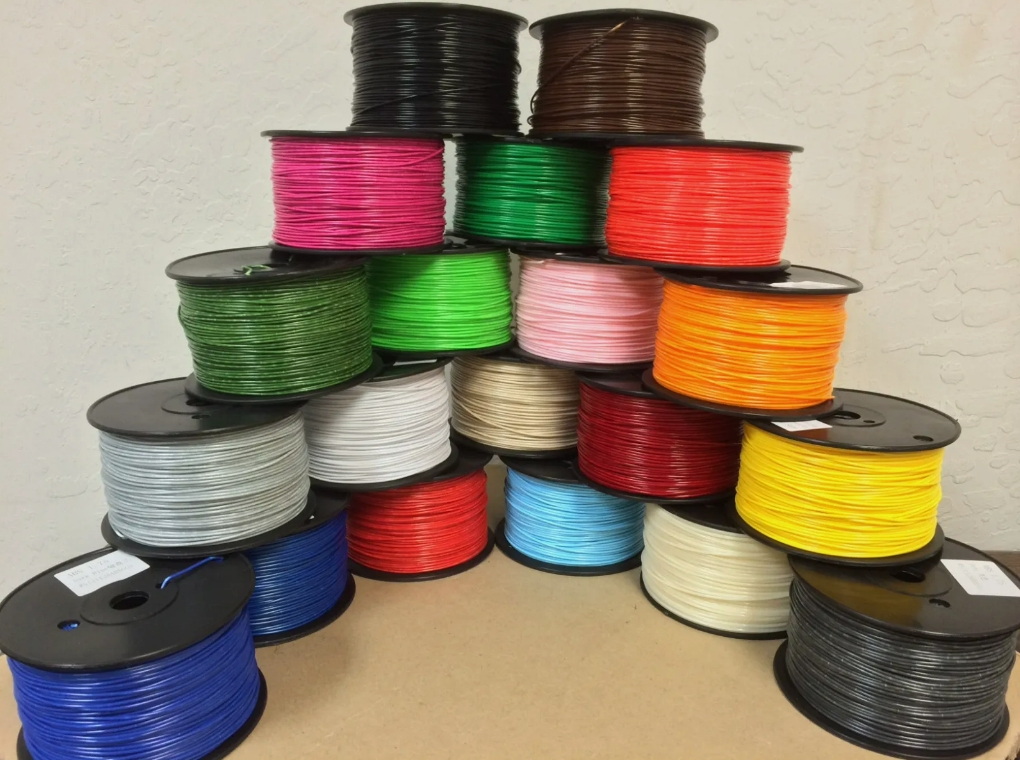
PETG is a fantastic filament for 3D printing. It has a very high tensile strength and does well for most functional prints. It’s flexible, it’s chemical resistant, and it’s very durable. The beauty of PETG is that it is very easy to use, even for beginners. In this blog, we will explore the best PETG printing settings for optimal results.
1. WHAT’S THE ADVANTAGES OF PETG?
Advantages of PETG Filament for 3D Printing. First, there is the strength and durability of PETG, followed by its flexibility, its resistance to chemicals, its water resistance, and ease of printing. There is also the fact that PETG is a food-safe and FDA approved material, which is to say that it can be used for applications in which it will come into contact with food. Finally, there is the fact that PETG is a highly recyclable material. In summary, the many advantages of PETG make it a versatile and popular material used in a wide variety of 3D printing applications.
• Strength and Durability: Parts printed with PETG are very strong and of great durability. These parts are very suitable for functional parts that need to have a lot of strength. Because of the impact resistant properties, parts do not crack as easy as they would with for example PLA.
• Flexibility: The amount of flexibility that PETG has means that it can withstand a lot of bending and twisting. It will try to return to its original shape and will not easily break or crack under stress. This makes it great for printing parts such as hinges and clips as well as other mechanical parts.
• Chemical Resistance: As already mentioned, PETG has an excellent chemical resistance. It is resistant to common solvents and oils. Thus, parts printed with PETG can withstand cleaning with common household cleaning agents, fuels, and some acids without any problems.
• Water Resistance: PETG is also water resistant, meaning it does not absorb moisture like other plastics. This also means that PETG can withstand being in a humid environment or in contact with water.
• Ease of Printing: PETG is easy to print because it can be printed at a wide temperature range. It is less likely to warp or shrink than other materials. This makes it a good material for people who are new to 3D printing, or who print in rooms with no heated chamber. The material has good adhesion to a number of build surfaces, and this means that no special surface treatment is required.
• Food-Safe and FDA Approved: PETG is considered food-safe and FDA approved, therefore it can be used for making of the elements for contact with the food such as drinkware, containers for the food and elements for the preparation of the food. However, one must be for sure that the used PETG filament is certified for contact with the food.
• Recyclable: PETG is a recyclable material. This means it can be collected as waste and then be processed into raw materials in order to make new products. This makes it an ideal material to use when there is an emphasis on sustainability. This means of recycling can be found in a number of applications where recyclable products are made.
These are some of the reasons why PETG is a versatile material and is being used in many different applications, such as functional parts and end-use products, for 3D printing and other applications. For example, in the automotive and aerospace industry, in the consumer goods industry and in the healthcare industry, to name a few. As mentioned earlier, due to its strength, flexibility, and ease of use, it is also often used for creating functional prototypes before moving on to production.
2. WHAT’S THE BEST SETTINGS FOR PETG 3D PRINTING?
2.1 Optimal Temperature Profiles
Nozzle Temperature: Typically we would set the nozzle temperature for PETG printing to around 230-250°C depending on the filament and the specific printer setup in use.
Bed Temperature. The heated bed is an important factor for printing with PETG. To achieve good adhesion of the print to the bed and to prevent warping, a bed temperature of 70-90°C is recommended. Adhesives for the bed, like blue painter’s tape, BuildTak or PEI sheets, can enhance adhesion to the bed. Be sure to level your bed and clean the surface of the bed before printing.
2.2 Speed and Motion Control
Print Speed: These materials can be printed at medium to high print speeds. A print speed of 60-100mm/s is a good starting point for prints made with these types of materials. The actual print speed will depend on the specific 3D printer and the filament being used, but generally printing at a slower speed will produce better results for items with details, overhangs and bridges.
2.3 Cooling and Layer Adhesion Strategies
Cooling: It’s already stated that PETG doesn’t need cooling, in contrast to PLA. So, there is no need to apply part cooling fans, as this might cause layer adhesion problems and deteriorate print quality. However, if your PETG filament causes excessive stringing or oozing, then you can experiment with cooling this off, possibly by reducing the fan speed and/or switching the fans on/off for certain layers only.
2.4 Structural Configuration
Layer Height and Wall Thickness: If printing detail and increasing printing time isn’t an issue then decreasing the layer height down to 0.1mm or even lower will help produce extremely fine detail. It’s recommended to use a minimum wall thickness of 1.2mm or greater to produce sufficient strong parts.
Support Structures: PETG usually needs support for overhangs and for other complex features of your part. In your slicer software, enable support for your PETG prints. Adjust the support density, or use tree supports, to reduce material usage and post processing time. For more information on supports, see the article on support material.
3. POST-PROCESSING AND FINISHING TECHNIQUES
Post-processing of PETG prints (sand, polish, heat treatment etc.) to smooth out layer lines and any other blemishes. In particular, heat treatment (annealing) of PETG parts to increase their mechanical strength and stability. Recommended temperature for annealing of PETG parts is around 70-80°C for about 3-4 hours.
CONCLUSION
So remember to play around with the different printing parameters and tailor them to the specific application you are printing for. Use the right settings and get the most out of your PETG prints. As always, remember to test the prints out for yourself and refer to the manufacturer’s guidelines for the recommended parameters. Have fun printing!
Disclaimer: All print settings in this post are examples, and are generally applicable but will depend on your printer, filament and print jobs. It is always best to consult the manufacturer’s recommendations and complete your own tests.