English
 Deutsch
 Español
 Français
 Italiano
 日本語
日本語 Русский
 中文
中文
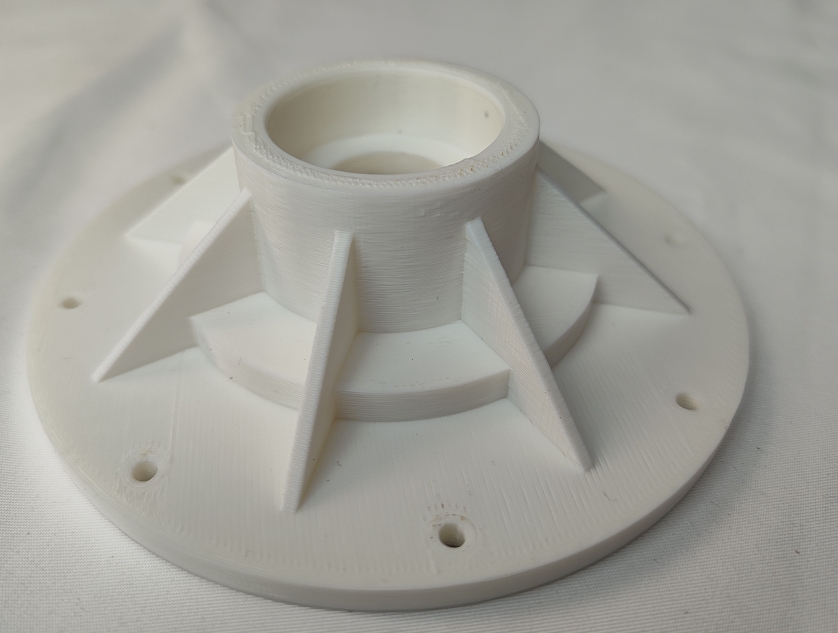
Exploring the Best 3D Printing Settings for HIPS
- Published November 06 2025 - Updated September 19 2026
Thermal Control, Bed Adhesion and Solvent-Based Support Material Removal for HIPS Filament Mastering.
HIPS (High Impact Polystyrene) is one of the most popular filaments used by 3D printing enthusiasts. It is very strong and resistant to impact. Printed parts made of HIPS can easily be dissolved in a D-limonene-based solution to remove supports. In this post we will present you with the optimal 3D printing settings for printing with HIPS filament.
1. WHY CHOOSE HIPS?
The many advantages of HIPS. This is why many additive manufacturing fans prefer to work with this filament.
• Strength and Durability: HIPS produces strong and impact-resistant prints.
• Ease of Use: It’s relatively simple to print with HIPS compared to other filaments.
As support material for other 3D printing materials, because it easily dissolves in D-limonene, so that you can get clean and detailed prints without removing the support material manually.
2. OPTIMAL 3D PRINTING SETTINGS FOR HIPS
2.1 Critical Temperature Management
Nozzle Temperature: We recommend a temperature of 230°C up to 250°C (start with 240°C and then increase as necessary due to under-extrusion).
The heated bed for HIPS printing should be set between 90°C to 110°C.
2.2 Speed and Motion Control
Print Speed: The best print speed for HIPS is a medium print speed of 60 to 100 mm/s in order to get strong prints.
Retraction Settings: Retraction speed (40-50 mm/s) and retraction distance (1-3 mm) for minimum stringing and oozing. These settings mostly rely on the type of extruder used and have to be changed by the supplier or an experienced user.
2.3 Bed Surface and Adhesion Aids
To improve adhesion and prevent warping, consider using:
Glass Surface: Apply a glue stick or hairspray for enhanced grip.
PEI Sheet: Offers excellent thermal stability for HIPS.
Brim or Raft: Add a brim or raft to your prints, this can also help stop your print from warping and is especially useful for large prints.
3. ADVANCED ENVIRONMENT AND POST-PROCESSING
3.1 Cooling and Chamber Settings
Cooling: It is recommended to turn off the fan or to set it to the lowest possible speed when printing with HIPS. In this way the layers do not separate from each other.
Temperature of the chamber: The temperature of the chamber must remain constant during the printing of the HIPS part in order to avoid warping. The minimum ambient temperature for printing of HIPS parts is 50°C.
3.2 Layer Height and Detail
Layer Height: 0.1mm to 0.3mm. This will allow for good detail if required but keep print time down.
4. TROUBLESHOOTING COMMON HIPS ISSUES
• Warping: Bed temperature has to be just right and you need to be printing in an enclosed chamber. This keeps the temperature in the printing area constant.
• Layer Separation: Maintains a constant temperature. It stops warping by avoiding drafts and cold areas in the printing environment.
• Under-Extrusion: This could be caused by a number of things. First make sure the nozzle temperature is where it needs to be for the HIPS you are using. Also, make sure the filament is not too wet. HIPS can absorb a lot of humidity before printing.
FINAL THOUGHTS
HIPS is a versatile and reliable filament for making prints as standalone objects as well as prints that contain support material. By adjusting the above settings to your optimum, you will be able to create very durable prints. Whether you are a beginner or an experienced user of 3D printing, the above settings will be of great value to you.